Cartridge Interface
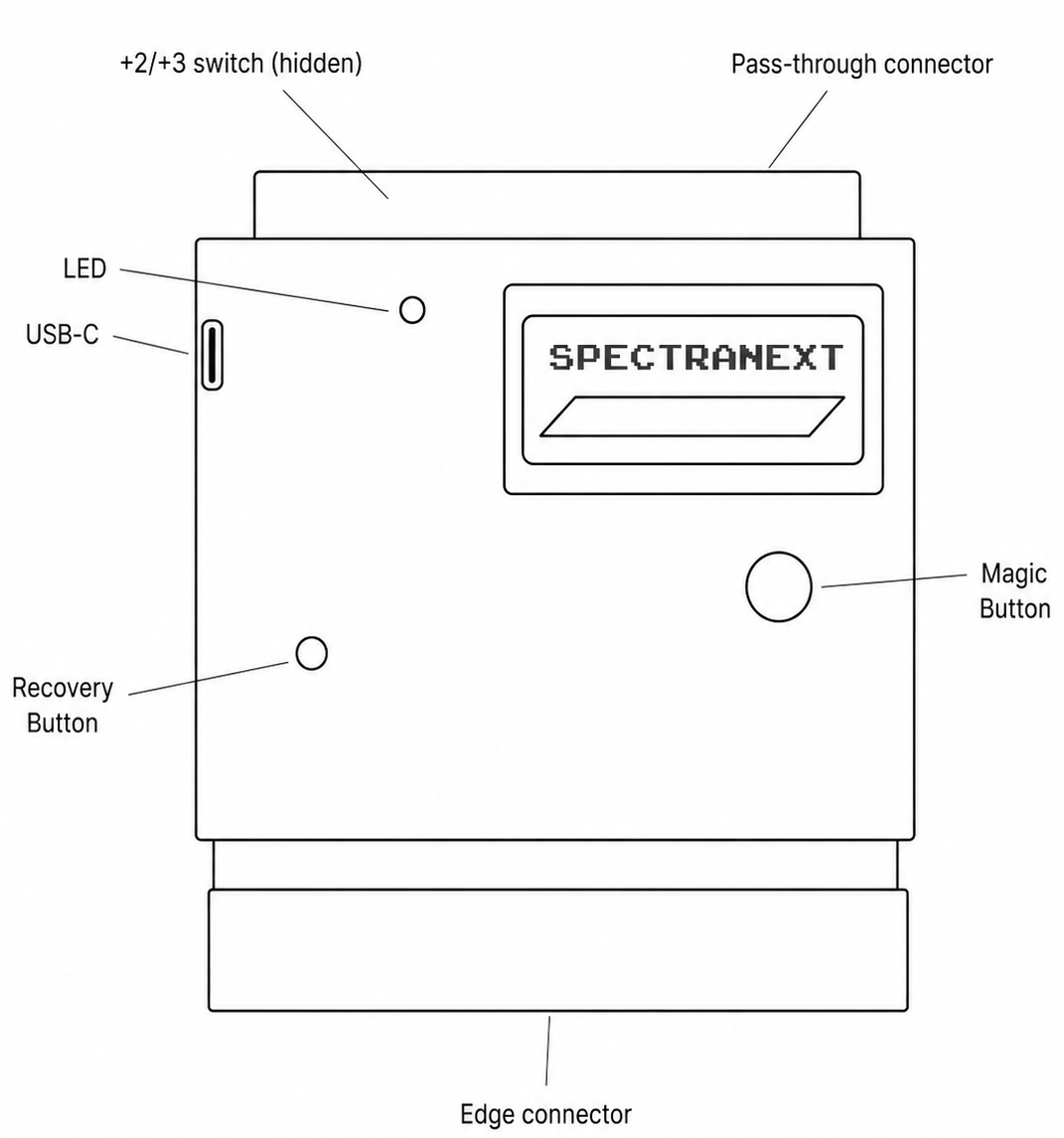
Edge connector
Use this to insert the cartridge into your ZX Spectrum
Pass-trough connector (under protective cover)
If you have another device you would like to use, you can remove the cover.
+2/+3 switch (under protective cover)
If you have +2/+3 machine, you must switch it into an appropriate mode.
Magic Button
Short press: Opens Spectranext menus. Long press: Reboots the machine.
Recovery Button
The small recessed button is used in case you have experienced system failure. See Updating Software.
LED (Status indicator)
See Status LED.
USB-C
Use it connect to your computer for development, testing and recovery. See Syncing with Computer